PRODUCTS / BOOKS AND TAX
Every sale in the books.
Written once, never edited.
Each paid order becomes a sale on a permanent record, with its items, the tax of each line and how it was paid. The reports add them up, the exports go to your accounting software, and your accountant can read it all with access of their own.
- Reports on every plan
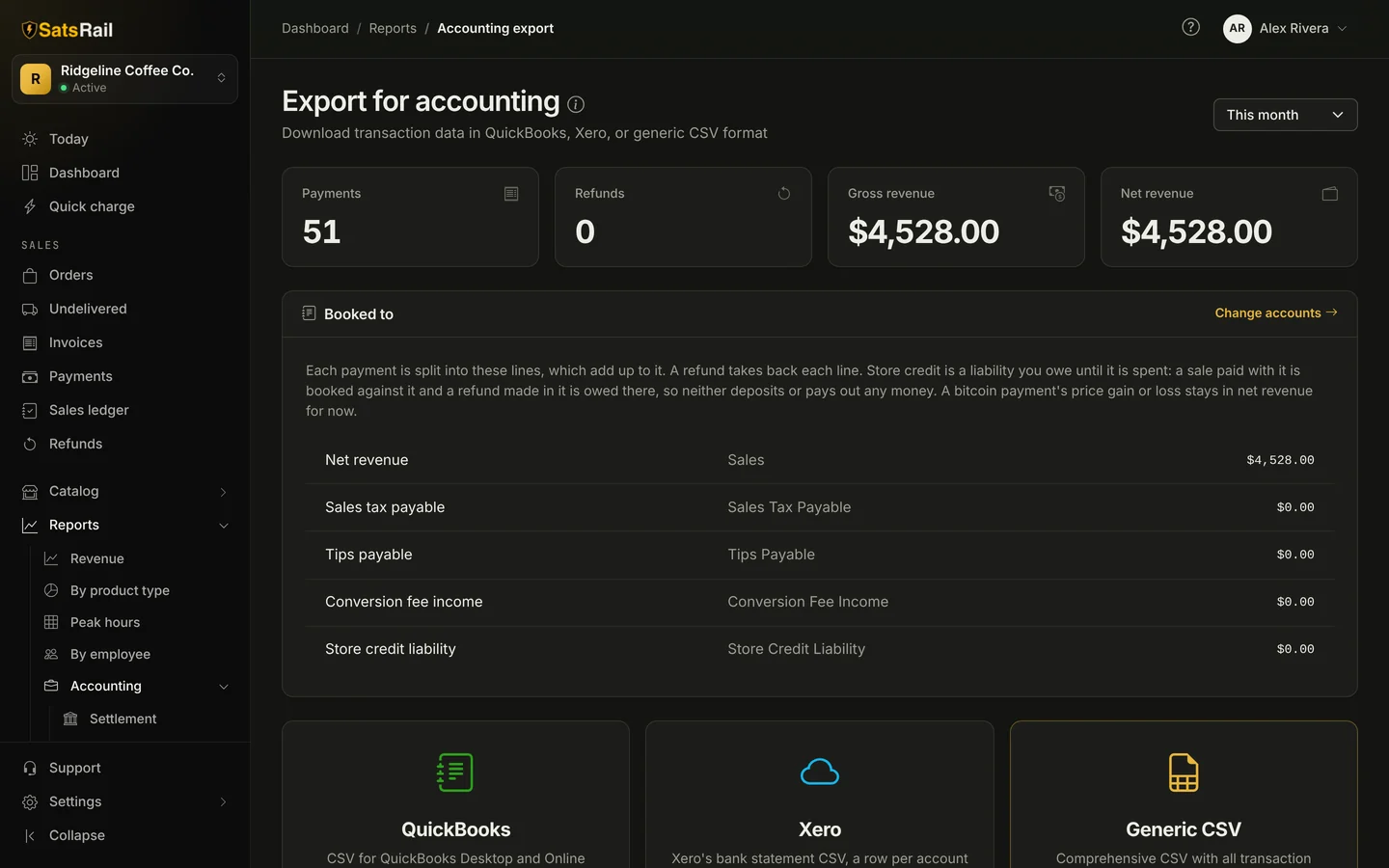
- QuickBooks, Xero and CSV
- Sales kept at least seven years
HOW IT WORKS
Sell, report, export.
Nothing to keep in step by hand.
- 01
Set your taxes once.
Give each product type its taxes. Every line of every sale carries its own, with its name and rate as they were then.
- 02
Sell as you do.
Every paid order is written to the sales ledger in the step that marks it paid. A refund is a sale of its own.
- 03
Close the month.
Run the reports for the period you need and download the files for QuickBooks, Xero or a spreadsheet.
WHAT YOUR BUSINESS GETS
The record a close needs.
Each report is a dashboard page and a CSV in your currency.
- Every plan
The sales ledger
Every paid order, with its items, taxes, payments and the proof of each payment. Never edited; refunds are records of their own.
- Every plan
Tax on every line
Each tax as charged: taxable sales, collected, refunded and net, a row per tax and rate.
- Every plan
Settlement and revenue
Payments each day by method, with the sats, their value on arrival and the bitcoin price when ordered and when paid.
- Every plan
Reconciliation
Each order matched to its invoice and payments, by method and wallet, with refunds and what is still pending.
- Every plan
QuickBooks
An accounting export with the account each line is booked to, in the files your software imports.
- Every plan
An accountant's access
Invite your accountant into the Accountant group: the reports, the exports and the sales behind them, read-only.
WHAT YOUR CUSTOMER SEES
A receipt that adds up.
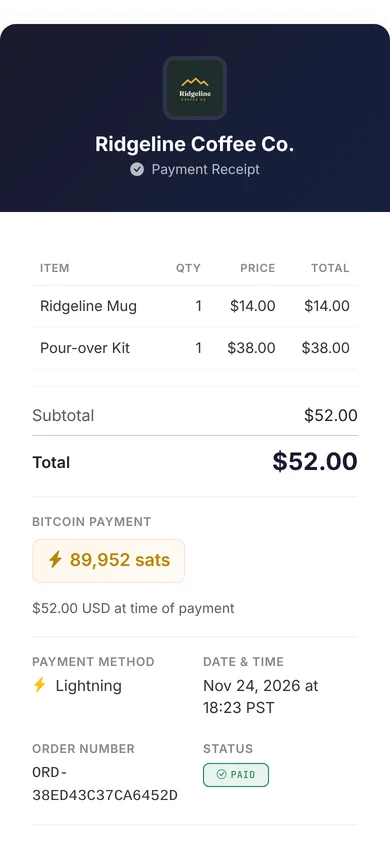
What your customer is given matches what your books say.
- An itemized receiptEach item, each tax and the total, under your business's name.
- How it was paidPaid over Lightning, on-chain, in cash or by card, on the receipt as on the record.
- Refunds on the recordA refund is a record of its own, naming the sale it refunds. The original never changes.
Can a sale be edited?
No. A sale is written once. A refund is a sale of its own, with negative amounts, naming the sale it refunds.
Does SatsRail send entries to QuickBooks or Xero?
You download the export and import it. The files are in the layouts QuickBooks and Xero take, and a generic CSV for anything else.
How long are sales kept?
At least seven years, for legal and tax compliance. Orders may be cleared after six months; the sales stay.
Can my accountant change anything?
No. The Accountant group reads your orders, payments, refunds, taxes, reports and wallets, and can't change any of them, or your products or your team.
CLOSE THE MONTH.
Bitcoin in the books.
Like any other sale.
Reports on every plan · 0% transaction fees · Cancel anytime