INTEGRATIONS
Works with what you run.
Paid to your own wallet.
Your own wallet takes the bitcoin, your own card processor takes the cards, and your accounting software takes the books. SatsRail sits between them and holds none of the money.
LIGHTNING
Lightning wallets.
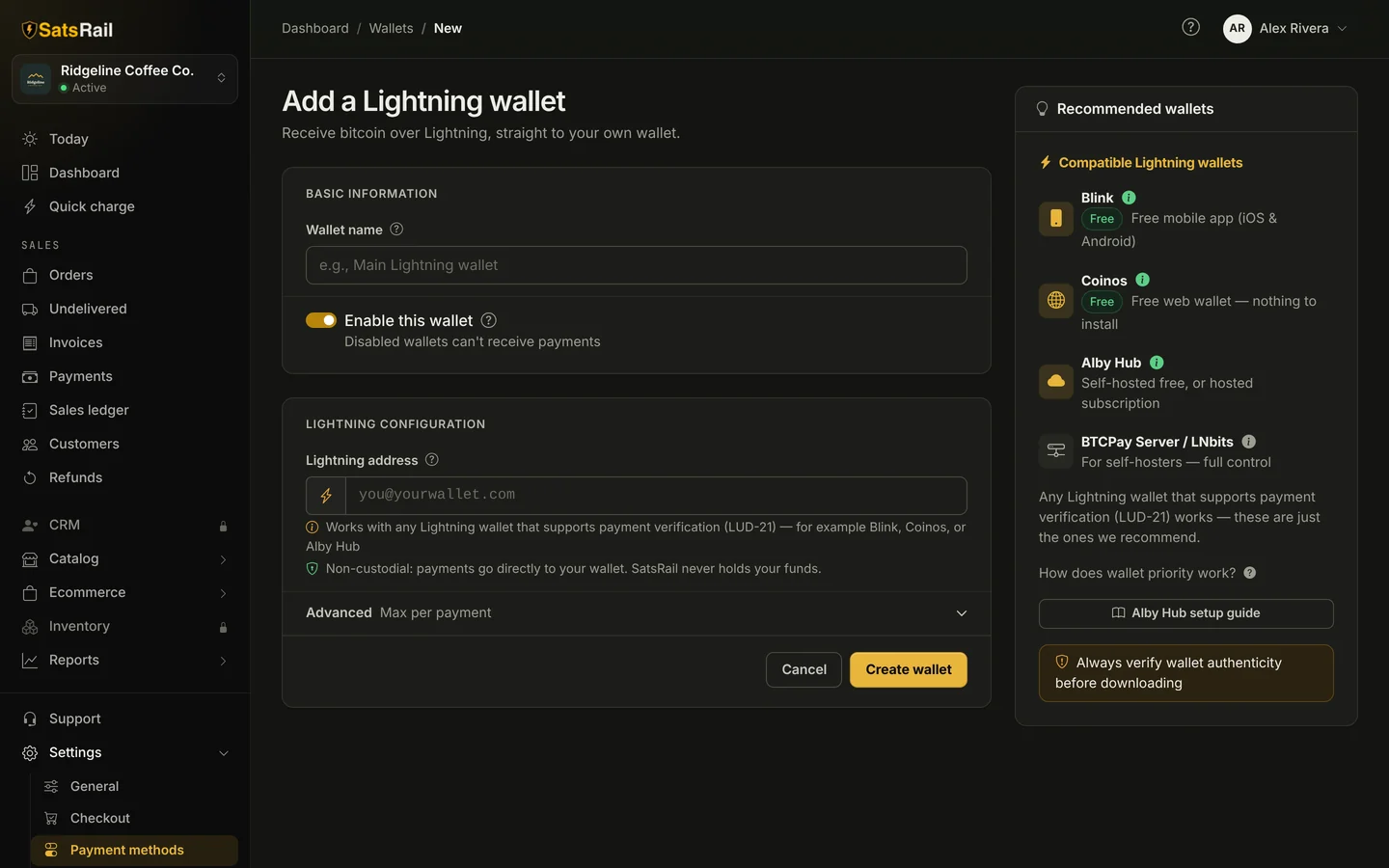
SatsRail asks your wallet's Lightning Address for each invoice and checks the payment. Any wallet whose address can do both connects; these are the ones we have tested.
- Lightning
Blink
A wallet on your phone with a Lightning Address. Its Spark account keeps the keys with you. Tested with SatsRail.
Set it up - Lightning
Alby Hub
Your own Lightning node, in the cloud or on your hardware, with its own Lightning Address. Tested with SatsRail.
Set it up - Lightning
Any Lightning Address
Another wallet works if its address issues invoices and lets SatsRail verify them, as Coinos's does. SatsRail checks it before you can turn it on.
Which wallets work
ON-CHAIN
On-chain wallets.
On a paid plan, add a watch-only key from your wallet. SatsRail derives a fresh address for each order and watches it; it can see payments, never spend them.
- On-chain
BlueWallet
Export the wallet's watch-only key and paste it in. Tested with SatsRail.
- On-chain
Any watch-only key
An xpub, a zpub or an output descriptor from a single-signature wallet with bc1q or bc1p addresses. SatsRail shows its first three addresses for you to check.
Add an on-chain wallet
CARDS
Your own card processor.
From Starter, connect your own account and card sits beside bitcoin at checkout. The money goes to your processor account, at its own fees, with no SatsRail fee, and SatsRail never sees a card number.
- Card
Stripe
Card payments at checkout, saved cards, and Stripe's card reader at the counter. From Starter.
- Card
Authorize.net
Card payments on Authorize.net's hosted page, and saved cards. From Starter.
- Card
Mercado Pago
Card payments through your Mercado Pago account, where it is offered in your country. From Starter.
- Card
Your own terminal
Keep the card terminal you have and record its sales in SatsRail, with the numbers from its receipt. From Starter.
ACCOUNTING AND CATALOG
Your books, and the catalog you already have.
Every sale is on a permanent record with the tax of each line. The exports take it to your accounting software.
- Accounting
QuickBooks
The accounting export in the layout QuickBooks imports, each line booked to its account.
- Accounting
Xero
The same export in the layout Xero imports.
- Accounting
CSV
A generic accounting export, the sales ledger and every report as CSV, and your catalog in and out of a spreadsheet.
Download a sample - Catalog
Square catalog import
Bring your locations, catalog and stock over from Square, once. Customers and order history stay in Square.
Accounting exports are files you download and import. See the books and tax.
FOR DEVELOPERS
Build on it.
The REST API is on every plan for an approved account: test keys while you build, live keys once you are approved.
- Developer
REST API
Checkout sessions, orders, products and payment requests, with an OpenAPI reference.
Read the docs - Developer
Webhooks
Your software hears about each payment as it lands, signed so it can tell the message is ours.
Webhooks guide - Developer
pay.js buttons
One script tag adds a Pay with Bitcoin button to any website: a Custom HTML block on WordPress, a Custom Liquid section on Shopify.
Embed guide - Developer
Ruby SDK
Open source, on GitHub, beside our other public code.
SatsRail on GitHub - Developer
MCP server
AI agents make orders and payment links with the permissions of whoever connected them. Comes with Pro.
MCP server - Developer
A menu for your website
One script draws your menu, a cart and the checkout on your own site, for pickup orders. Comes with Pro.
Online store
SOMETHING MISSING?
Ask for the integration you need.
Tell us which software you use and what it should do with your payments. We read every request.
CONNECT YOUR WALLET.
Your wallet, your processor.
Your books.
Free up to $500/month · 0% transaction fees · Cancel anytime