PRODUCTS / IN-PERSON PAYMENTS
Sell at the counter.
Paid to your own wallet.
Ring up a sale in the browser on any phone, tablet or computer. The customer scans a QR code and pays from their own wallet, or pays in cash or by card. Each sale lands on your records with its items and taxes, and the cash goes into the till of whoever took it.
- Quick charge on Free
- No hardware needed for bitcoin
- 0% per payment
HOW IT WORKS
Open, ring up, get paid.
Everyone on your team signs in as themselves, so every sale names who took it.
- 01
Open the sales screen.
Sign in on any device with a browser. Your products are there by type, with their photos, options and prices for your location.
- 02
Ring up the sale.
Tap the items. Each line carries its taxes and discounts, and a tip goes on as its own line.
- 03
Take the payment.
Show the QR code for Lightning or on-chain, record cash into your till, or take the card on your terminal or a card reader.
WHAT YOUR BUSINESS GETS
What the counter needs.
From one tablet by the door to several locations, each with its own staff.
- Every plan
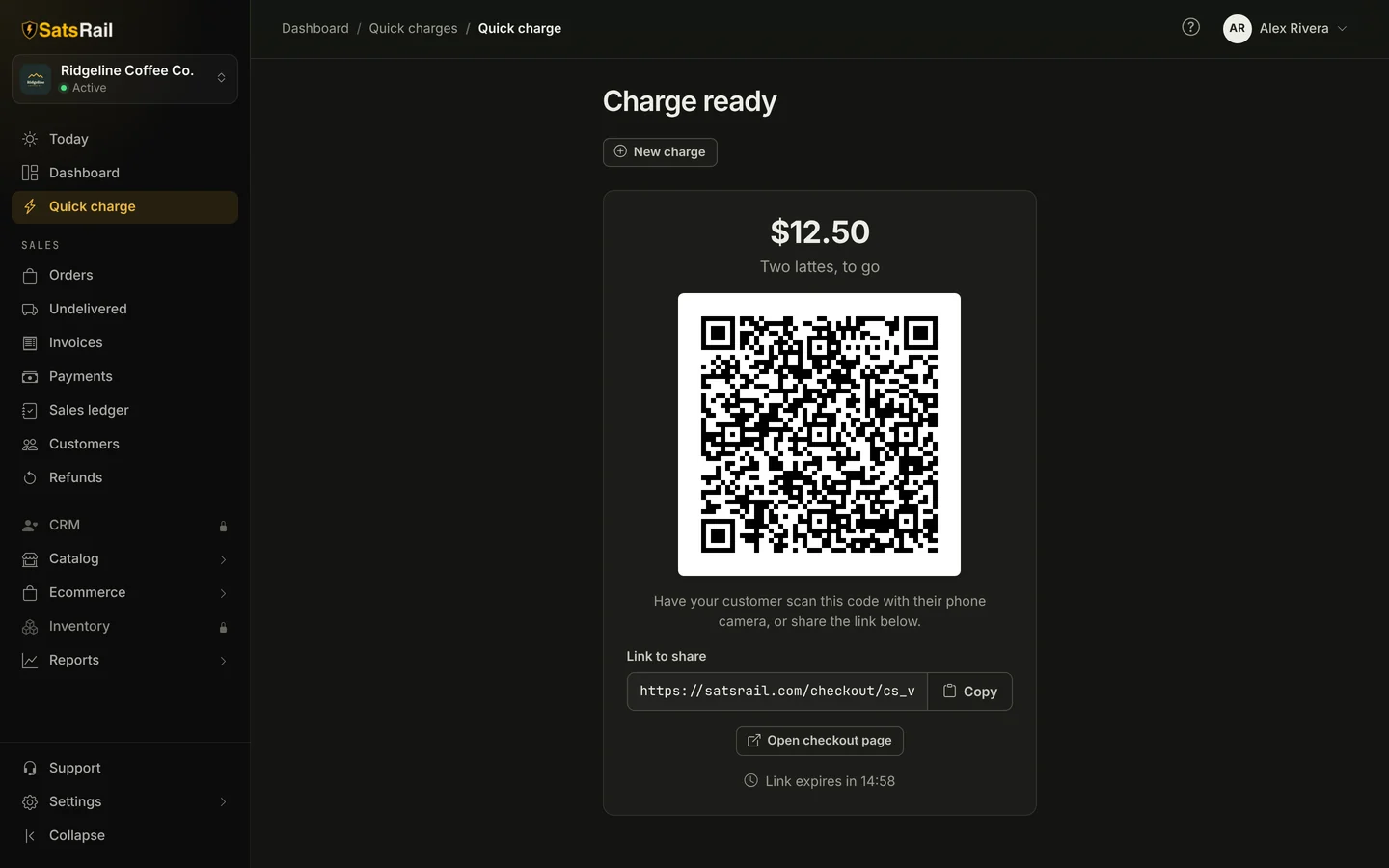
Quick charge
Type any amount in your dashboard and show its QR code. The customer scans it and pays.
- From Starter
The sales screen
Your products by type, options to choose, discounts and the tax of each line, in the browser. It installs as an app on a phone or tablet.
- From Starter
Tills
Open a till with a float, record every cash sale against it, and close it with the cash counted. Each close is kept, with its report.
- From Starter
Cards
Record a sale taken on your own card terminal, with its receipt numbers, or send the amount to a Stripe card reader. No card number reaches SatsRail.
- From Starter
Split payments
Take part of a sale in cash and the rest in cash, Lightning or on-chain. Nothing is paid until the payments cover the total.
- From Starter
More than one location
Each location sells its own catalog, and sales and reports can be read by location.
WHAT YOUR CUSTOMER SEES
Their own phone. Nothing handed over.
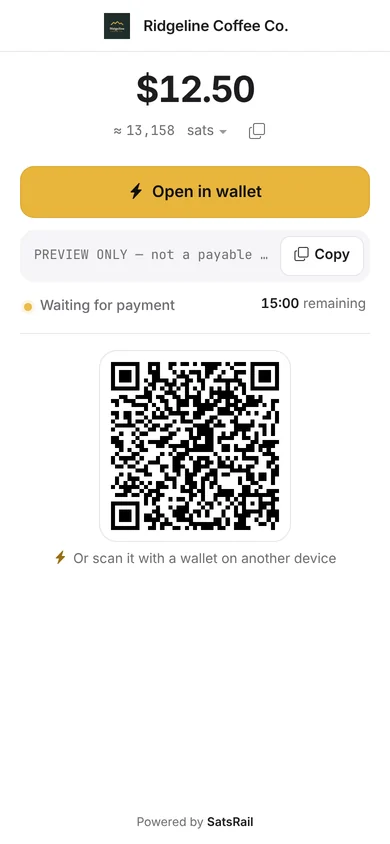
Paying in bitcoin at the counter is a scan and a tap on the customer's own phone.
- A QR code to scanThe amount shows as a QR code on your screen. The customer scans it with their wallet and approves the payment there.
- No card to cloneA bitcoin payment is for one amount and paid once. No card, card number or PIN changes hands, and nobody can charge it back.
- An itemized receiptEach sale has a receipt under your business's name, with its items, taxes and how it was paid.
What do I need at the counter?
A phone, tablet or computer with a browser, and a wallet for the bitcoin. No terminal is needed for bitcoin. Keep your card terminal if you take cards, or connect a Stripe card reader.
Which plan do I need?
Quick charge works on every plan, Free included. The sales screen, tills, card payments and more than one location come with Starter.
Can my staff use it?
Yes. Each person signs in as themselves, with only the access their job needs, and each sale names who took it. A cashier can sell without seeing your settings.
How does cash work?
Open a till with its float. Every cash sale is recorded against it, and a cash refund comes out of it. When you close it, you count the cash and the till keeps what it expected and what you counted.
Where does a card payment go?
To your own card processor's account, at its own fees, with no SatsRail fee. SatsRail records the sale and never sees the card number.
SELL IN PERSON.
Your counter.
Your wallet.
Quick charge on Free · 0% transaction fees · No hardware needed for bitcoin